Showing posts with label image. Show all posts
Showing posts with label image. Show all posts
Monday, June 19, 2017
Radical Image Optimization Tool RIOT 0 4 6 Portable
Radical Image Optimization Tool RIOT 0 4 6 Portable
 Radical Image Optimization Tool (RIOT) 0.4.6 Portable adalah sebuah program yang dapat digunakan untuk mengoptimasi file-file gambar dalam format file JPEG, PNG, dan GIF.Hasil optimasi yang dilakukan dengan RIOT ini dapat menghasilkan file image dengan ukuran yang lebih kecil namun kualitas yang dihasilkan mendekati kualitas file gambar aslinya.Software pengedit gambar ini dirancang khusus untuk melakukan edit foto/gambar. Software ini sangat berguna bagi para blogger yang memposting artikelnya disertai dengan gambar, sehingga ukuran blog bisa diperkecil yang pada akhirnya akan mempercepat waktu loading dari blog itu sendiri.
Screenshot : Radical Image Optimization Tool (RIOT) 0.4.6 Portable

Fitur yang ditonjolkan berupa fitur kompress ukuran dan konversi format gambar, didukung 3 format file gambar yaitu JPEG, GIF, PNG.
Dengan software ini bisa dengan sangat mudah untuk mengkonversi gambar yang mendukung ketiga format tersebut, Jpeg-Gif, Jpeg–Png, Gif – Png dan sebaliknya, bahkan Jpeg – Jpeg untuk memperkecil ukuran file nya sekaligus mengatur kedalaman warnanya.
Download dibawah ini :
via ziddu - 1.27 Mb

Semoga Bermanfaat ^_^
Go to link Download

Friday, June 16, 2017
PhotoInstrument 3 1 Image Editor
PhotoInstrument 3 1 Image Editor
 PhotoInstrument 3.1 ?? digital ?????????????? ???????????? ?????????? ????????????? ?????????????? ?????? ???????? ????????? digital ?????????????? ????????????? click ???? ???????? ???????????????? ???????????????? ??????????? ??????? ?????????? ?????????? ??????????????????? ????? ?????????? ????????????? software ??????????? ???????? ???? ????????????????? professional ?????????? ??????????????? ?????????? ????????? ?????????????????? ?????????????????????
Download Now
OS: Microsoft Windows 2000, XP, Vista and Win7
License: Serial
Size: 2.69 Mb
Source of http://www.photoinstrument.com/
Go to link Download
Monday, June 5, 2017
Place a text in image Photoshop tutorial
Place a text in image Photoshop tutorial
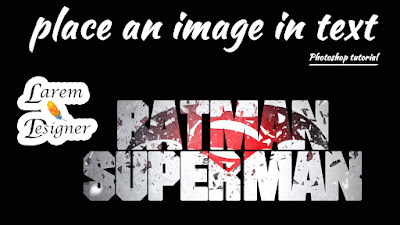 |
| Place a text in image , Photoshop tutorial |
Hello my visitors
With this tutorial for beginner i will show you how to place an image in text using adobe Photoshop , very simple and you can do this step in less than two minute , just follow my step in my video below.
Like my page Facebook
www.facebook.com/laremdesigner
Subscribe to my YouTube channel
YouTube channel Larem Designer
Follow me on twitter
www.twitter.com/laremdesigner
www.twitter.com/laremdesigner
Go to link Download
Monday, May 29, 2017
PicMonkey web based image editing great for Chromebooks
PicMonkey web based image editing great for Chromebooks
 PicMonkey
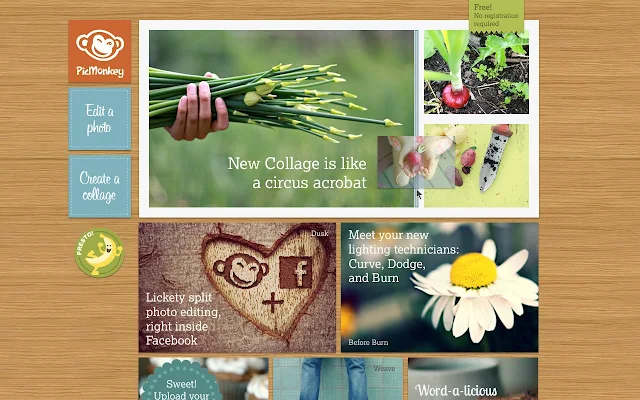
PicMonkey is a free, online photo editing service that has some great features and is a great tool for Chromebook users. PicMonkey is very easy to use. Simply upload or drag and drop a photo onto the site and edit away.
You can crop, rotate, add effects, add borders and text, and manipulate photos with some very powerful and useful editing tools, all online.
The Chrome app is also easy to use and has a ton of features, including Collage, Touch-Up, Teeth Whiten, Fonts, Effects, Filters, Frames, Textures, Stickers and more.
Its an excellent resource for photo editing on a Chromebook. They are also working on a mobile app.

Related:
Great, free Image editing sites and software
Go to link Download
Monday, February 13, 2017
Purported press image of iPhone 5C appears online
Purported press image of iPhone 5C appears online

While the purported iPhone 5C, Apples low-cost iPhone, has made several online appearances, including in some really high resolution pictures and videos that surfaced on the Internet, a website now claims to have published the official press shots of the phone.
Romania based publication, Mobilissimo.ro, claims that a Romanian retailer sent a couple of press shots of the iPhone 5C to the website.
The press photo features the White coloured variant of the iPhone 5C running iOS 7.The front panel is also in White unlike some previous leaks, while the back of the phone features the same plastic polycarbonate body panel that appeared in recent leaks, in glossy White, complete with a round camera lens and LED flash, Apple logo and iPhone branding.
The left-hand side of the phone features the same pill shaped volume rocker and mute keys that had appeared online, in a recent leak. These are also White in colour.
In addition to the press pictures, the site has also posted images of what the Romania-based dealer claims as iPhone 5C dummies placed in shop shelves till the actual phone arrives. The dummy features a White plastic power button. At the bottom of the dummy phone, theres a small hole for the second microphone, next to the 3.5mm headset jack port, two screw holes with the Lightning connector port at the centre, and four holes for the speaker towards bottom right. This is in line with the pictures that appeared recently on Sonny Dicksons website.
Its interesting to note that the low-cost iPhone has leaked several times but the pictures were of pre-production units and did not feature cut outs for the power and volume rocker keys.
Other alleged pictures of the iPhone 5C have revealed a plastic polycarbonate body back panel in White, Blue, Red, Yellow and Green colours. However, weve not heard much about the specifications of the phone till now.
Apple is expected to unveil the iPhone 5C along with the iPhone 5S, the next generation iPhone, on September 10 at an event in San Francisco. Its worth pointing out that Apple has not sent any invitations or announced an event officia. [via]
Romania based publication, Mobilissimo.ro, claims that a Romanian retailer sent a couple of press shots of the iPhone 5C to the website.
The press photo features the White coloured variant of the iPhone 5C running iOS 7.The front panel is also in White unlike some previous leaks, while the back of the phone features the same plastic polycarbonate body panel that appeared in recent leaks, in glossy White, complete with a round camera lens and LED flash, Apple logo and iPhone branding.
The left-hand side of the phone features the same pill shaped volume rocker and mute keys that had appeared online, in a recent leak. These are also White in colour.
In addition to the press pictures, the site has also posted images of what the Romania-based dealer claims as iPhone 5C dummies placed in shop shelves till the actual phone arrives. The dummy features a White plastic power button. At the bottom of the dummy phone, theres a small hole for the second microphone, next to the 3.5mm headset jack port, two screw holes with the Lightning connector port at the centre, and four holes for the speaker towards bottom right. This is in line with the pictures that appeared recently on Sonny Dicksons website.
Its interesting to note that the low-cost iPhone has leaked several times but the pictures were of pre-production units and did not feature cut outs for the power and volume rocker keys.
Other alleged pictures of the iPhone 5C have revealed a plastic polycarbonate body back panel in White, Blue, Red, Yellow and Green colours. However, weve not heard much about the specifications of the phone till now.
Apple is expected to unveil the iPhone 5C along with the iPhone 5S, the next generation iPhone, on September 10 at an event in San Francisco. Its worth pointing out that Apple has not sent any invitations or announced an event officia. [via]
Go to link Download
Saturday, November 19, 2016
Pixillion Image Converter 2 02 Free Download Full Version
Pixillion Image Converter 2 02 Free Download Full Version
Pixillion Image Converter 2.02:Pixillion Image Converter makes simple to convert your pictures to a special file format. However, we tend to were somewhat aggravated by the assorted product pushes that accompany it, and we e unsure why the publisher touts it as a free program. Pixillion Image Converter incorporates a terribly easy and easy interface. obvious menu commands lie the highest of the window and permit you to quickly add files and folders and assemble conversion choices.
 The program conjointly includes a facilitate feature, however its jam-pawncked by a protracted list of the developers different product. Oddly, the interface includes a mysterious chest button that, once we clicked it, downloaded another program to "Find tasks in keeping with what code you e exploitation." however once we clicked on a selected task, it prompted the program to transfer yet one more program. the full method was terribly annoying. Still, we tend to were able to quickly add our files, choose Associate in Nursing output folder and format, and flip and size our image, all by exploitation the Output effects menu. The device choices menu allow us to assemble our write choices within the event that a destination file already exists, like overwriting the file or aborting the operation altogether.
Pixillion image file conversion code may be a free image format device for Windows. It will convert image files between GIF, JPEG, PNG, PDF, and BMP. Before changing your file Pixillion permits you to look at the image and current file parameters. once changing Pixillion permits you to flip or rotate and size. Add text captions and convert from your right click menu.
BMP Image Converter BMP Convert in GIP
BMP Convert in JPEG
BMP Convert in JPEG 2000
BMP Convert in PCX
BMP Convert in PGF
BMP Convert in PNG
BMP Convert in PNM
BMP Convert in PSD
BMP Convert in RAS
BMP Convert in TGA
BMP Convert in TIFF
BMP Convert in WBMP
GIP Image Converter
GIF Convert in BMP
GIF Convert in JPEG
GIF Convert in JPEG 2000
GIF Convert in PCX
GIF Convert in PGF
GIF Convert in PNG
GIF Convert in PNM
GIF Convert in PSD
GIF Convert in RAS
GIF Convert in TGA
GIF Convert in TIFF
GIF Convert in WGIF
JPEG Image Converter JPEG Convert in GIP
JPEG Convert in BMP
JPEG Convert in JPEG 2000
JPEG Convert in PCX
JPEG Convert in PGF
JPEG Convert in PNG
JPEG Convert in PNM
JPEG Convert in PSD
JPEG Convert in RAS
JPEG Convert in TGA
JPEG Convert in TIFF
JPEG Convert in WBPEG
PCX Image Converter PCX Convert in GIP
PCX Convert in BMP
PCX Convert in PCX 2000
PCX Convert in PCX
PCX Convert in PGF
PCX Convert in PNG
PCX Convert in PNM
PCX Convert in PSD
PCX Convert in RAS
PCX Convert in TGA
PCX Convert in TIFF
PCX Convert in WBPEG
PSD Image Converter
PSD Convert in GIP
PSD Convert in BMP
PSD Convert in JPEG 2000
PSD Convert in JPEG
PSD Convert in PGF
PSD Convert in PNG
PSD Convert in PNM
PSD Convert in PSD
PSD Convert in RAS
PSD Convert in TGA
PSD Convert in TIFF
PSD Convert in WBPEG
TIFF Image Converter
TIFF Convert in GIP
TIFF Convert in BMP
TIFF Convert in JPEG 2000
TIFF Convert in JPEG
TIFF Convert in PGF
TIFF Convert in PNG
TIFF Convert in PNM
TIFF Convert in TIFF
TIFF Convert in RAS
TIFF Convert in TGA
TIFF Convert in TIFF
TIFF Convert in WBPEG
Installation InstructionsDownload and Extract with WinRAR
Install Setup When Finish Installing Click Finish To Complete The Setup and The Program Will Launch Automatically, Close It And Make Sure It’s Not Running, And Apply The Reg Patch.
Screenshot
Pixillion Image Converter 2.02

Pixillion Image Converter 2.02

Pixillion Image Converter 2.02

Download Now

Go to link Download
Friday, October 14, 2016
Photoshop Sneak Peek Image Deblurring
Photoshop Sneak Peek Image Deblurring
Enjoy the video, as they say in the video, it might not make it into Photoshop CS 6
Go to link Download
Subscribe to:
Posts (Atom)